
How to Convert DVD Movies?
Movie DVD Convert is the most powerful, flexible and fast tool you can find for converting your DVD or HD/Blu-Ray DVD to popular video formats suitable for your portable device. …

Movie DVD Convert is able to convert HD DVD to many video formats with lossless output to enjoy in media player with high-resolution screen. In addition, this DVD converter supports Blu-ray DVD MKB version up to the latest version, which means it can decrypt any Blu-ray DVD movies on market so far. It also supports both DVD-9 (8.5GB) and DVD-5 (4.7GB) movies as source DVD disc.

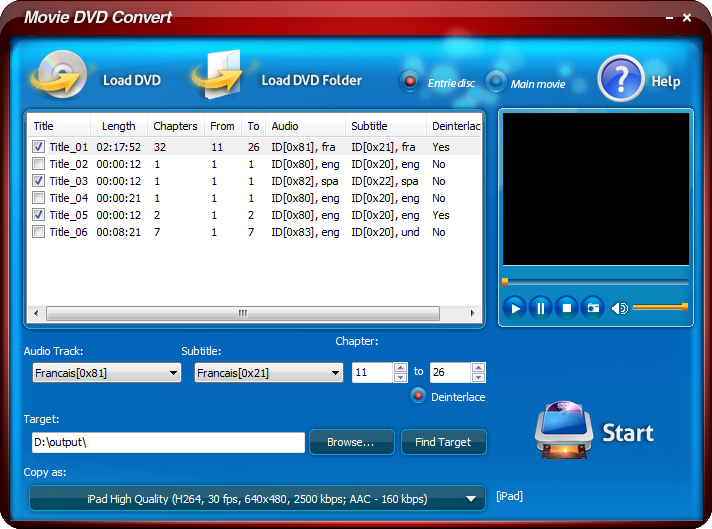
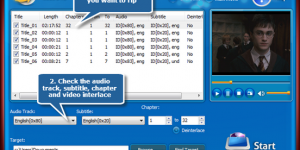
Movie DVD Convert allows you to specify the conversion settings of title, chapters, subtitles and audio tracks. If you want the video converted without sound & subtitle, just disable them before ripping. This perfect DVD converter supports multiple language discs so that you can convert movies with different language. For language learners, it is awesome to get some learning material by simply removing the audio/subtitle to practice the listening skills.

The built-in player is provided to help you preview the whole DVD or the selected title with a real-time preview window. With a draggable slider, you can easily jump to any point on the slider-bar and decide which part to convert. Meanwhile, you can take a snapshot of the scene displayed in the preview window and save it as BMP or JPEG format to use as the wallpaper for PC or upload them to your mobile phone and blog to share with friends.
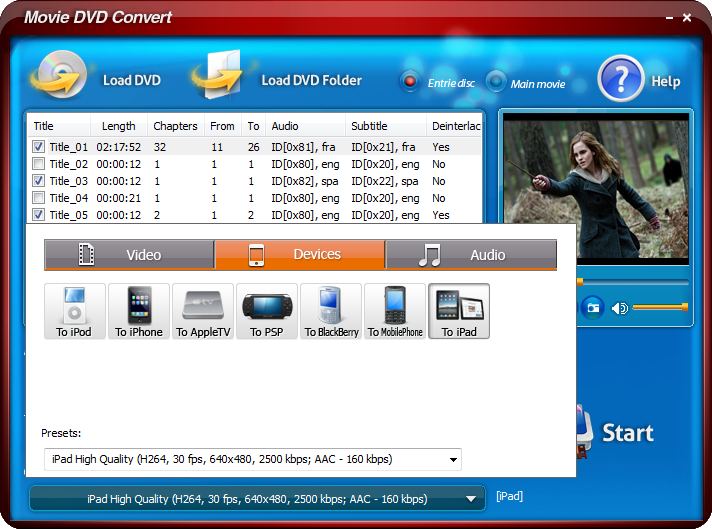
No need to be experienced in the DVD movie conversion for each format or device is provided with a preset list in order to get a precise result. Movie DVD Convert provides the well-configured presets to control the quality according to your professional or casual needs: resolution, frame rate, encoder bit rate of video and sample rate, channel, encoder, bit rate of audio, etc. There is no quality loss during the conversion. Getting the customized output quality is no longer a problem with this professional movie DVD converter!

Movie DVD Convert is a brand-new DVD convert program to convert your movie DVD. It allows converting movie DVD to several popular video formats like AVI, MPEG, WMV, MP4, FLV, MOV, 3GP and so on while preserving the high quality. It even allows you to convert DVDs to High/Standard-Definition (HD/SD) video formats without hassle. No matter where you are, no need to take DVD disc.
If you want the freedom to watch DVD movies on your portable device whenever and wherever you choose, then our movie DVD converter is the right product. It supports many output devices, such as iPod, iPhone, Apple TV, PSP, BlackBerry & many mobile phones.

Want to rip a certain dialog from your favorite movie or extract music from your preferred movie so you can play them on your iPod? Movie DVD Convert can do the job. Numerous popular audio formats are supported: WAV, MP3, WMA, OGG, AAC, MP2, FLAC, etc.

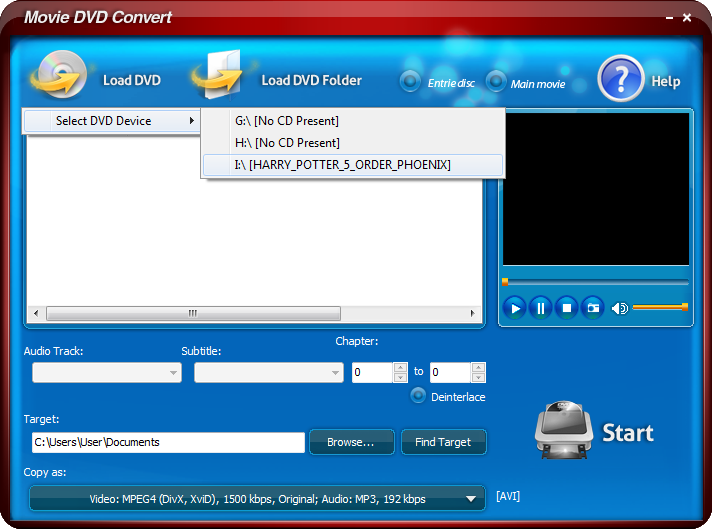
It’s 100% safe and easy to use Movie DVD Convert. It is guaranteed not to contain any spyware, viruses or any other kind of malware. The elegant interface & obvious buttons put everything you need at your fingertips and make the whole conversion enjoyable. You can easily find any options as needed and finish the whole DVD conversion within 4 steps: Load video DVD -> Choose titles -> Specify output settings -> Convert! With step-by-step wizard, requiring no technical knowledge, even beginners can do the conversion without troubles.
Movie DVD Convert provides movie DVD conversion with Compute Unified Device Architecture (CUDA) & DirectX Video Acceleration (DXVA) technology, thus allows users to benefit from the hardware accelerated real-time conversion. With a modern graphics card and a powerful motherboard, the conversion may be accelerated considerably up to 3x and beyond.
The advanced options provided in Movie DVD Convert software give users many choices for setting the parameters of DVD conversion. It gives users the possibility to convert only a portion of the desired video by adjusting the start and end time, and also lets them adjust the conversion settings for a better control over the process.


Movie DVD Convert is the most powerful, flexible and fast tool you can find for converting your DVD or HD/Blu-Ray DVD to popular video formats suitable for your portable device. …
DVD-Video is a consumer video format used to store digital video on DVD discs, and is currently the dominant consumer video format in Asia, North America, Europe, and Australia. Discs …